

People Module
Your people directory, no spreadsheets
Centralize your team's info in complete profiles. Bulk CSV upload, manager hierarchies and always-current data.
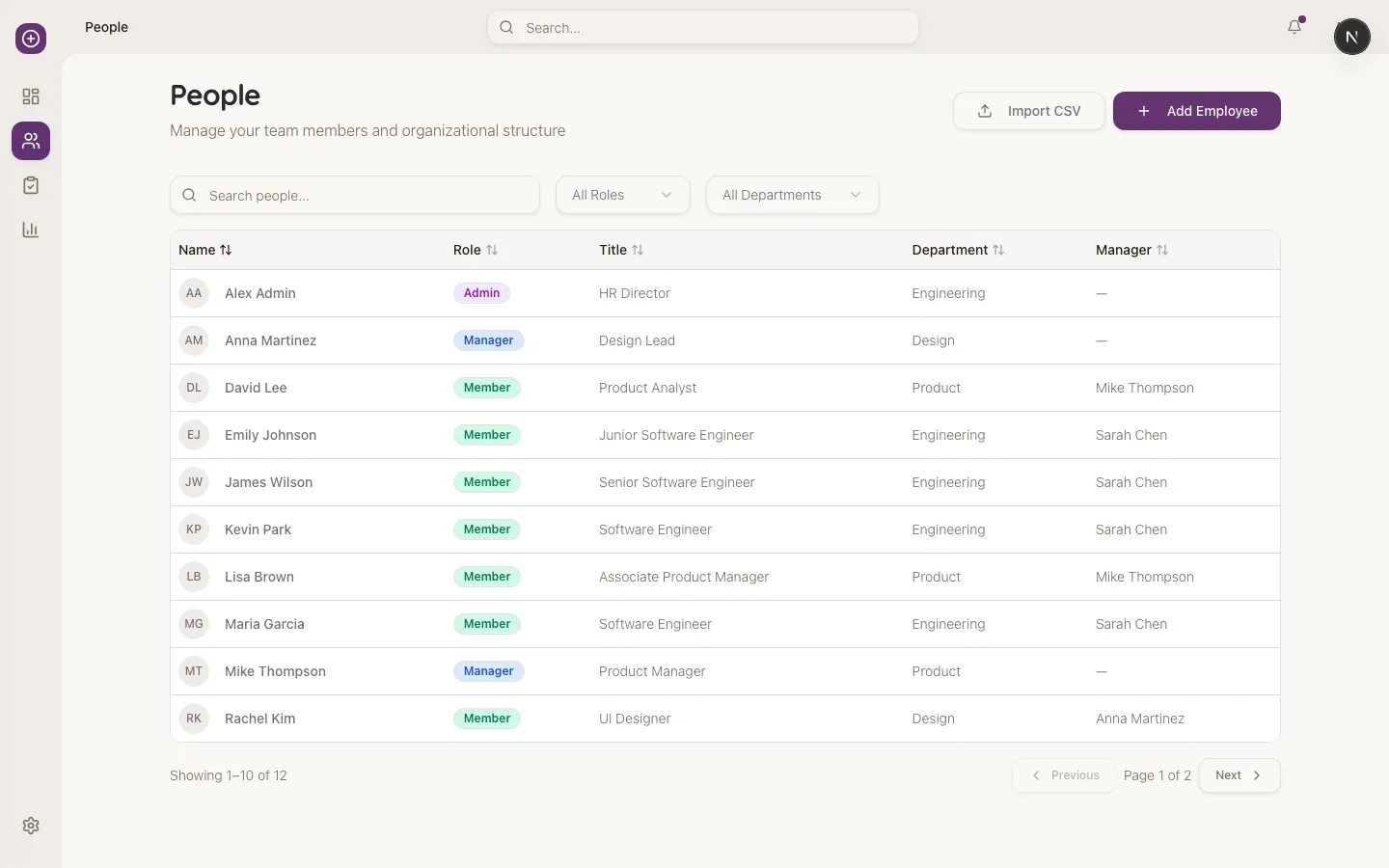
Your directory lives in an outdated Excel
Each area keeps its own version of team data. When you launch a survey or feedback cycle, you have to consolidate everything by hand. Errors, inconsistencies and lost hours.
A single source of truth for your team
-
Centralized directory
All team info in one place, accessible from anywhere.
-
Bulk CSV import
Import hundreds of employees in minutes with a well-structured file.
-
Manager hierarchy
Define who reports to whom. The structure feeds feedback cycles.
-
Complete profiles
Contact info, role, department, location, start date and more.
-
System roles
Assign roles (Admin, Manager, Employee) to control access.
-
Controlled offboarding
Deactivate employees without losing their evaluation history.
Set up your directory in simple steps
-
Import
Upload your CSV with all employees.
-
Verify
Review the import and fix errors.
-
Assign
Define managers, departments and locations.
-
Maintain
Update data as your team changes.
-
Audit
Check history and export when needed.
Frequently asked questions about People Management
How many employees can I upload at once?
No practical limit. We've uploaded files with thousands of employees in one operation.
What happens if someone leaves?
The profile gets deactivated. Their history is preserved but they don't appear in new surveys.
Can I import from my HRIS?
Yes. Export a CSV from your HRIS and import it into Kultiva. Native integrations coming soon.
Who can see employee data?
Only Admins of your company. Managers see their team. Employees see their own profile.
How do you handle personal data and privacy?
We comply with Colombian habeas data regulations and apply encryption in transit and at rest.
Get your directory ready in minutes
Schedule a demo and we'll show you how to upload your team and configure hierarchy in one session.
Schedule Demo